Watercolor Kit: A Practical Resource for Creative Professionals and Hobbyists
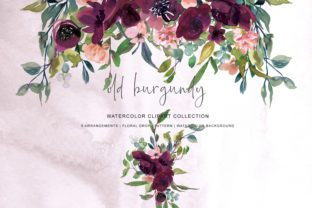
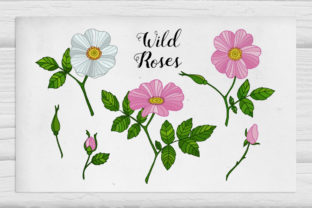
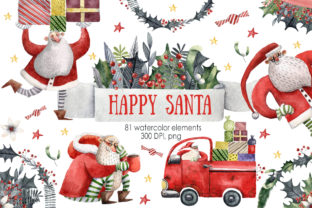
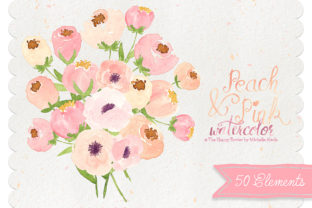
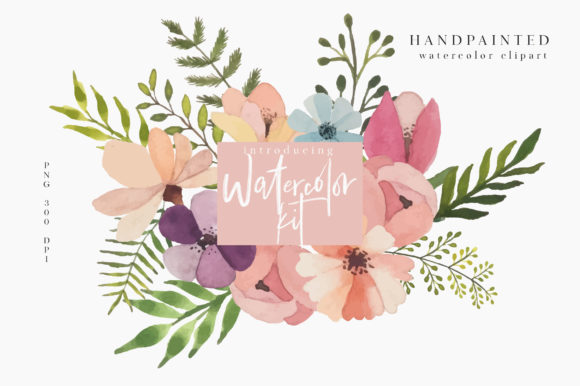
The Watercolor Kit is a versatile digital asset designed for creators, entrepreneurs, educators, and hobbyists who need high-quality, flexible visuals for a range of projects. It includes a curated collection of watercolor elements such as flowers, leaves, wreaths, floral arrangements, and frames—all optimized for clarity and ease of use. Whether you're designing marketing materials, educational content, or personal art projects, this kit offers a ready-made solution to enhance your visual output without starting from scratch.
What You Get Inside the Watercolor Kit
This digital package is thoughtfully organized to support a wide range of creative workflows. Each file is in PNG format at 300 DPI, ensuring crisp, professional results whether used digitally or in print. Here's what the kit includes:
- 70 Flowers and Leaves – Ideal for layering, backgrounds, or as standalone elements in design projects.
- 18 Frames – Perfect for borders, photo overlays, or structured layouts.
- 4 Arranged Flowers – Pre-designed floral compositions for quick integration into your work.
- 4 Wreaths – Useful for seasonal designs, invitations, or thematic branding.
- 3 Pattern Designs – Repeatable motifs that can be tiled or adapted for backgrounds and textures.
How Watercolor Kit Fits Into a Creative Workflow
Whether you're preparing a social media campaign, designing a course workbook, or crafting personalized stationery, the Watercolor Kit can be integrated at various stages of your project. Its components are not just decorative elements—they're building blocks that support consistency, efficiency, and aesthetic appeal.
Before you begin a project, the kit can help you establish a visual direction. For instance, selecting a wreath or floral arrangement as a central theme can guide your color palette and layout choices. During the design process, the frames and pattern designs can be used to structure content and add depth. After the main design is complete, subtle touches like watercolor leaves or floral accents can elevate the final output, adding a handcrafted feel without requiring advanced illustration skills.
Compatibility and Integration with Other Tools
One of the key strengths of the Watercolor Kit is its compatibility with a variety of design platforms and formats. Since all files are PNGs at 300 DPI, they can be easily imported into tools such as Adobe Photoshop, Illustrator, Canva, Procreate, Affinity Designer, or even PowerPoint and Google Slides.
For marketers and educators, this means the kit can be used to create visually engaging presentations, course materials, or branded templates. Bloggers and small business owners can incorporate these assets into newsletters, social media graphics, or product packaging mockups. Freelancers and designers can use the elements as part of larger illustrations, collages, or layered compositions.
Practical Use Cases Across Industries
The Watercolor Kit is not limited to one niche or industry. Its flexibility makes it a valuable asset across multiple use cases:
- Marketing & Branding – Use floral arrangements and wreaths to create seasonal promotional banners, Instagram stories, or brand mood boards.
- Education & Course Design – Add visual interest to worksheets, certificates, or slide decks with pattern designs and watercolor frames.
- Stationery & Invitations – Combine wreaths and floral elements to design wedding invites, greeting cards, or planners.
- Content Creation – Enhance blog post headers, Pinterest graphics, or YouTube thumbnails with a soft, organic aesthetic.
Organization and Efficiency Tips
To make the most of the Watercolor Kit, it's important to organize the files in a way that aligns with your workflow. Consider creating separate folders for each category—flowers, frames, wreaths, etc.—and further subdivide them by color or complexity if needed.
When working in design software, keep your layers well-organized. Label each watercolor element clearly and group related components together. This not only makes editing easier but also improves collaboration if you're working with a team or handing off files to a client.
Quality Control and Long-Term Use
Since all files are 300 DPI, they maintain excellent quality for both digital and print applications. However, it's good practice to preview any scaled-up elements before final output to ensure there's no loss of clarity.
For long-term use, consider embedding these assets into your brand's visual library or design system. By establishing guidelines on how and when to use specific elements from the Watercolor Kit, you ensure consistency across projects and reduce redundant decision-making in future work.
Enhancing Your Creative Output Without the Learning Curve
One of the biggest advantages of using the Watercolor Kit is that it removes the need to develop advanced illustration skills. Instead of spending hours learning to paint or draw floral elements by hand, you can focus on the bigger picture—your message, your audience, and your deliverables.
This is especially valuable for busy professionals who need to produce polished visuals quickly. Whether you're a blogger updating your website or a small business owner creating social media assets, the Watercolor Kit gives you the tools to create professional-grade visuals without the time investment of creating them from scratch.
Final Thoughts on Integrating the Watercolor Kit
The Watercolor Kit is more than just a collection of design assets—it's a workflow enhancer. By providing a ready-to-use library of high-quality watercolor elements, it supports creative professionals and hobbyists in delivering polished, visually cohesive work efficiently.
When integrated thoughtfully into your design process, this kit can help you maintain a consistent aesthetic, streamline your workflow, and focus more on the strategic or creative aspects of your projects. Whether used as a foundation or a finishing touch, the Watercolor Kit is a practical, flexible tool that adapts to your needs, not the other way around.