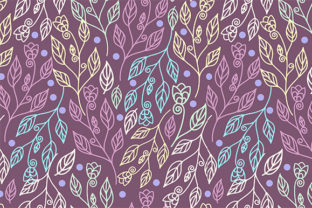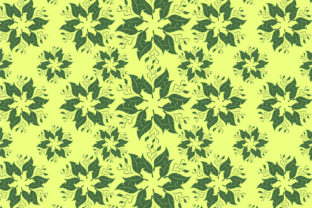
Pattern Ornament Floral: Versatile Design Assets
Elevating a creative project often comes down to the quality of the foundational assets. A well-crafted Pattern Ornament Floral serves as more than just a decorative background; it acts as a structural element that brings cohesion, elegance, and visual interest to any composition. Whether you are designing packaging for a boutique skincare line, creating wedding stationery, or developing digital content for social media, having access to professional-grade vector and raster files ensures your work maintains integrity across every medium. This collection provides the technical flexibility required by modern designers and makers, bridging the gap between intricate artistic detail and practical application.
Understanding the Asset Collection
The true value of this download lies in its comprehensive file structure. Creative workflows vary significantly depending on the end goal, and relying on a single format often leads to quality loss or compatibility issues. This package addresses those friction points by including five distinct formats tailored to specific software ecosystems and output requirements.
- 1 AI File: The native Adobe Illustrator format preserves all layers, anchor points, and editable paths. This is essential for designers who need to modify colors, scale individual elements, or rearrange the pattern repeat without losing definition.
- 1 SVG File: Scalable Vector Graphics are the industry standard for web design and crafting machines. This format is fully compatible with Cricut Design Space, Silhouette Designer Edition, Inkscape, CorelDRAW, and the broader Adobe Suite. It allows for infinite scaling without pixelation, making it ideal for everything from tiny vinyl decals to large-format signage.
- 1 EPS File: Encapsulated PostScript remains a universal vector standard. It opens reliably in older versions of Illustrator, CorelDRAW, and Inkscape. Crucially, it can be imported into Adobe Photoshop as a smart object, allowing raster-based designers to utilize vector crispness within pixel workflows.
- 1 PNG File (300 DPI): High-resolution raster files with transparent backgrounds are indispensable for quick mockups, digital overlays, and print projects where vector editing isn't necessary. At 300 DPI, this file meets professional print standards for brochures, business cards, and art prints.
- 1 JPG File (300 DPI): A flattened, high-quality image perfect for web use, client presentations, or textile printing services that require standard image uploads. The 300 DPI resolution ensures that even when used digitally, the texture and fine lines remain sharp on high-density displays.
Applications in Print and Packaging Design
For entrepreneurs and small business owners, branding consistency is paramount. A Pattern Ornament Floral offers an immediate way to establish a romantic, organic, or vintage aesthetic without commissioning custom illustration work. In packaging design, these vectors can be manipulated to create custom die-cut labels, tissue paper patterns, or shopping bag textures. Because the AI and EPS files retain their vector properties, you can adjust the color palette to match your exact brand hex codes, ensuring the floral motif feels proprietary rather than generic.
Consider the application in editorial design. Bloggers and publishers can use the PNG or JPG versions as subtle watermarks behind text blocks or as section dividers in digital magazines. The key here is opacity control; reducing the pattern’s visibility creates texture without competing with readability. For physical publications, the high-resolution files allow for spot UV coating or foil stamping specifications, adding a tactile dimension that elevates the perceived value of the printed piece.
Digital Crafting and Maker Projects
The inclusion of an SVG file specifically targets the growing community of makers using cutting machines like Cricut and Silhouette. However, successful crafting requires more than just loading a file. When working with intricate floral ornaments, it is often beneficial to simplify the design for cutting. Use the vector files to isolate specific flowers or leaves if the full pattern is too dense for vinyl or cardstock. This modular approach allows you to create custom arrangements for tumbler wraps, cake toppers, or iron-on transfers.
For those using sublimation printing, the 300 DPI PNG and JPG files provide the necessary density for vibrant color transfer onto polyester fabrics and coated blanks. The seamless nature of the pattern means you can tile the image to cover larger surfaces like throw pillows or tote bags without visible break lines. Always test print a small swatch first to ensure the color profile translates correctly from screen to substrate, as floral details can sometimes shift during the heat press process.
Adapting Style for Different Audiences
A single Pattern Ornament Floral can communicate vastly different messages depending on how it is styled. Understanding your audience allows you to adapt the asset effectively. For a luxury market, maintain the original complexity and pair it with ample negative space and serif typography. The density of the ornament suggests craftsmanship and tradition. Conversely, for a youthful or modern demographic, consider isolating individual motifs and scattering them asymmetrically across a bright background. This deconstruction transforms a classic ornament into something contemporary and playful.
Educators and content creators can leverage these assets to create visually engaging worksheets, certificates, or presentation templates. The visual warmth of floral patterns can make educational materials feel more inviting, particularly for adult learners or creative workshops. When designing for accessibility, ensure sufficient contrast between the pattern and any overlaid text. Use the vector files to create a lighter, desaturated version of the pattern specifically for backgrounds where legibility is the primary concern.
Technical Best Practices for Consistency
Maintaining organization is critical when working with multi-format assets. Establish a clear naming convention and folder structure immediately upon download. Keep your master AI or EPS files separate from your exported PNGs and JPGs to prevent accidental overwrites. When modifying the pattern, always save a new version rather than altering the original source file. This preserves your ability to return to the pristine artwork for future projects.
Color management deserves special attention. If you are using the pattern across both digital and print platforms, convert your vector files to CMYK for print production and RGB for screen use. Colors in floral ornaments can appear drastically different between these color spaces. By preparing dedicated versions for each output method, you avoid the disappointment of dull prints or neon-tinted screens. Additionally, when scaling the pattern for large formats, verify that the stroke weights remain proportional. Vector scaling is mathematically perfect, but aesthetically, a line meant for a business card may look clumsy on a banner. Adjust stroke widths manually in Illustrator after resizing to maintain visual harmony.
Inspiration for Seasonal and Niche Markets
Floral ornaments possess inherent seasonality, but they can be adapted for year-round use through color and context. For autumn markets, recolor the pattern in burnt oranges, deep reds, and golds to evoke harvest themes. In spring, pastel iterations suggest renewal and freshness. Beyond seasonal retail, niche markets offer unique opportunities. The cannabis wellness industry, for example, frequently utilizes botanical illustrations to signal natural ingredients and safety. A refined floral ornament can lend legitimacy and sophistication to product labels in this space, distinguishing premium brands from competitors.
Wedding and event planners can use the pattern to create cohesive environmental design. From welcome signs to menu cards and table numbers, repeating the floral motif ties disparate elements together. The versatility of the included file formats means the same design can be laser-cut from wood for signage, printed on linen napkins, and displayed on digital invitation suites. This cross-medium consistency creates an immersive experience for guests while streamlining the designer’s workflow.
Making the Most of Your Download
Ultimately, the utility of this Pattern Ornament Floral collection depends on intentional application. Resist the urge to use the pattern at full opacity and full scale simply because it is available. Treat it as raw material to be sculpted, colored, and composed according to the specific needs of your project. Experiment with blending modes in Photoshop to integrate the PNG with photographic textures. Use the SVG as a clipping mask in web design to create shaped image containers. Layer multiple instances of the EPS file at varying opacities to build depth and shadow.
By leveraging the specific strengths of each included file format, you ensure that your creative output is not only beautiful but technically sound. Whether you are a freelancer delivering client assets, a hobbyist exploring new techniques, or a business owner building a brand identity, this collection provides the professional foundation necessary to execute your vision with confidence and clarity.