Integrating a Collection of Floral Frames in Vector Into Professional Design Workflows
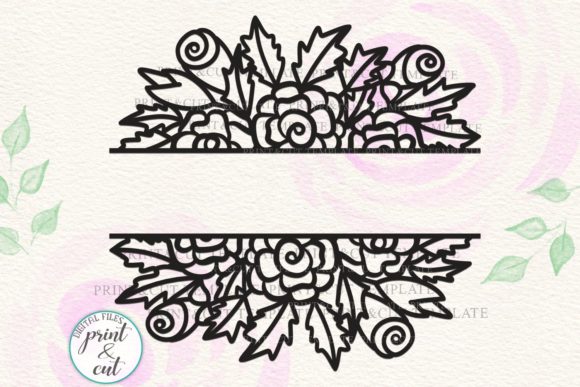
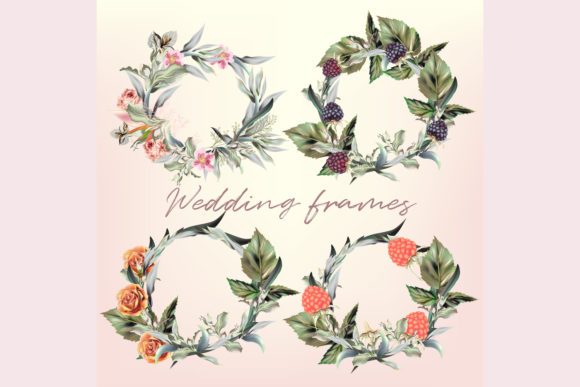
Visual assets are the foundation of efficient creative production, but not all assets are created equal. When sourcing design elements for commercial or personal projects, the technical specifications determine how smoothly an asset integrates into your existing workflow. A Collection of Floral Frames in Vector serves as more than just decorative filler; it functions as a scalable structural component for layouts ranging from wedding stationery to product packaging. Understanding the specific file formats included in this collection—AI CS2, EPS10, high-resolution JPEG, and separate PNGs—is essential for maximizing utility across different software environments and project stages.
For professionals managing tight deadlines, the value lies in versatility. This collection is engineered to bridge the gap between high-end print production and rapid digital content creation. By providing both editable source files and ready-to-use raster images, the asset pack supports various users, from illustrators needing a base structure to social media managers requiring instant visual polish. Implementing these resources effectively requires understanding where each file type fits within the planning, execution, and delivery phases of a project.
Technical Specifications and Workflow Compatibility
The inclusion of multiple file formats addresses specific compatibility hurdles often encountered in collaborative environments. Each format serves a distinct purpose in the production pipeline.
Vector Source Files: AI CS2 and EPS10
The core of this collection resides in the vector formats. The AI CS2 file ensures backward compatibility with older versions of Adobe Illustrator, which remains relevant for agencies or freelancers maintaining legacy systems. However, the EPS10 file is the industry standard for cross-platform vector exchange. EPS10 preserves complex path data, gradients, and layer structures while remaining accessible in alternative software like Affinity Designer, CorelDRAW, and Inkscape.
In a practical workflow, these vector files are your master templates. Because they are mathematically defined rather than pixel-based, you can scale floral frames to fit a business card or a billboard without quality loss. More importantly, vectors allow for non-destructive editing. You can adjust stroke weights, recolor elements to match brand guidelines, or isolate specific botanical motifs to create custom variations. This editability transforms a static frame into a dynamic design system.
Raster Assets: JPEG Preview and Separate PNGs
While vectors handle production, raster files facilitate communication and rapid prototyping. The 5000x5000px JPEG preview acts as a high-fidelity reference. Before opening heavy vector software, use this file to mock up concepts in Photoshop or present options to clients for approval. Its resolution is sufficient for large-format proofing and detailed inspection of texture and composition.
The 4 separate high-resolution PNGs address the need for transparency and speed. These files come with pre-masked backgrounds, making them immediately usable in non-vector environments. They are ideal for Canva users, video editors needing overlays, or web designers placing decorative elements directly into CMS platforms. Having individual PNGs eliminates the need to export specific frames from the master vector file repeatedly, streamlining repetitive tasks.
Pre-Production Planning and Asset Management
Efficient integration begins before the design software opens. Proper organization of the Collection of Floral Frames in Vector prevents friction later in the process. Upon acquisition, rename files descriptively based on their intended function or visual style rather than keeping generic filenames. For example, renaming "frame_01.eps" to "vintage-rose-border-eps10.eps" saves significant search time during active projects.
Consider creating a centralized asset library if you work across multiple devices or teams. Cloud storage solutions with metadata tagging allow you to retrieve specific floral frames by searching attributes like "wedding," "minimalist," or "gold foil." Establishing this organizational structure upfront ensures that the asset remains accessible and useful over the long term, rather than getting lost in a cluttered downloads folder.
During the planning phase, assess the technical requirements of your final deliverable. If the project involves variable data printing or web deployment, determine whether the vector complexity might cause rendering issues. Testing the EPS10 file early identifies potential compatibility problems with RIP software or browser SVG renderers, allowing you to switch to the high-res PNG alternatives if necessary.
Execution Strategies Across Different Platforms
The true test of any design asset is its performance during active creation. This collection supports diverse execution strategies depending on the user's primary toolset.
Print and Packaging Design
For print professionals, the vector files are indispensable. Import the EPS10 directly into Adobe Illustrator or InDesign. Utilize layers to separate the frame from other layout elements, ensuring that text and imagery remain editable independently. When designing packaging, the scalability of the vector allows you to adapt a single frame design to multiple SKU sizes without redrawing. Use the global color swatches within the AI file to update the entire frame’s palette instantly when client branding changes.
Digital Marketing and Social Content
Social media managers and content creators often lack the time for deep vector editing. Here, the separate PNGs provide immediate value. Drag and drop these transparent frames over product photography or quote graphics in tools like Figma, Canva, or Photoshop. The high resolution ensures crisp edges even on retina displays. Because the PNGs are pre-separated, you can layer multiple frames to create depth or use them as transition elements in video editing software like Premiere Pro or CapCut.
Client Presentations and Mockups
Use the 5000x5000px JPEG to create realistic mockups before committing to final production. Place the preview image into smart objects in Photoshop to visualize how the floral frame interacts with paper textures, lighting, and environmental context. This step validates aesthetic choices and manages client expectations regarding scale and detail. It also serves as a quality control checkpoint; verifying the frame’s appearance at full resolution prevents surprises when the final vector output is generated.
Customization and Long-Term Utility
To maximize return on investment, treat the Collection of Floral Frames in Vector as a starting point rather than a finished product. Customization extends the asset's lifespan and prevents designs from looking generic.
- Color Grading: Use recolor artwork tools in Illustrator to adapt the frames to seasonal campaigns. Shift warm botanical tones to cool pastels for spring promotions or deep jewel tones for winter collections.
- Element Isolation: Break apart grouped vectors to extract individual flowers, leaves, or corners. These micro-assets can be used as bullet points, dividers, or background patterns, multiplying the utility of the original purchase.
- Mixed Media Integration: Combine the clean vector lines with textured raster brushes. Applying grain or watercolor textures to the vector paths creates a unique hybrid aesthetic that distinguishes your work from others using the same base asset.
- Template Creation: Build master templates in your preferred software with the frames already positioned and styled. This reduces setup time for recurring projects like monthly newsletters, event invitations, or product labels.
Quality Control and Output Optimization
Maintaining professional standards requires attention to output settings. When exporting customized vectors for print, ensure all strokes are expanded and fonts are outlined to prevent shifting. Verify color profiles; convert RGB vectors to CMYK for offset printing to avoid gamut warnings. For digital outputs, optimize PNG file sizes using lossless compression tools to maintain transparency quality while improving page load speeds.
Regularly audit your usage of the collection. If certain frames consistently underperform or require excessive modification, note these limitations for future purchasing decisions. Conversely, identify which elements yield the highest efficiency and prioritize similar styles in future acquisitions. This feedback loop refines your asset library, ensuring it evolves alongside your workflow needs.
Ultimately, a Collection of Floral Frames in Vector is a productivity tool disguised as decoration. Its multi-format delivery system acknowledges the reality of modern design workflows where flexibility, speed, and quality must coexist. By leveraging the specific strengths of AI, EPS, JPEG, and PNG files at appropriate stages of production, professionals can streamline operations, maintain consistency across mediums, and focus creative energy on strategic execution rather than technical troubleshooting.